Introduction
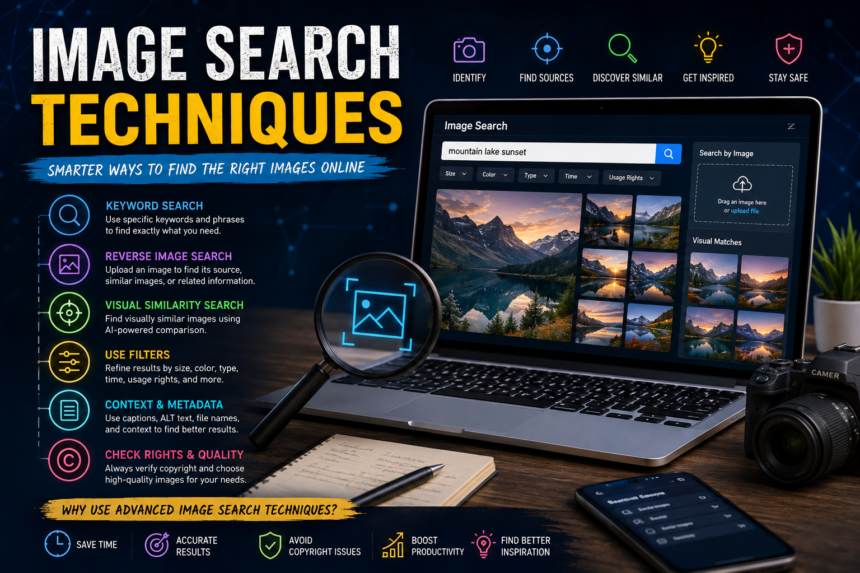
Image search techniques have become an important part of finding information on the internet. Whether you are looking for a specific photograph, identifying an unknown object, researching a product, or finding visual inspiration, the right search method can save time and produce better results. Modern search engines offer several ways to search for images beyond simply typing keywords.
What Are Image Search Techniques?
Image search techniques are methods used to locate, identify, compare, or research images online. Traditional image searches depend on text-based keywords, while newer methods can analyze the visual content of an uploaded image.
Common techniques include:
- Keyword-based image searching
- Reverse image searching
- Visual similarity searches
- Image identification
- Advanced search filters
- Searching with descriptive phrases
- Using image metadata and context
Understanding these techniques makes it easier to find accurate and relevant visual information.
1. Keyword-Based Image Search
The simplest image search technique is entering descriptive keywords into an image search engine. Instead of using a broad term, adding specific details can significantly improve the results.
For example, searching for “car” may produce millions of results. A more detailed search such as “red electric sports car side view” gives the search engine more information about what you want.
Useful details to include are:
- Color
- Object type
- Location
- Style
- Size
- Time period
- Subject
- Intended use
Specific searches generally produce more focused results than short, generic queries.
2. Reverse Image Search
Reverse image search is one of the most useful modern image search techniques. Instead of entering words, users provide an existing image and search for visually related results.
This technique can help determine where an image originally appeared, discover similar images, find higher-resolution versions, or identify the subject shown in a picture.
For example, if you have an unfamiliar building photograph, uploading it to a visual search service may reveal similar photographs, webpages discussing the building, or information about its location.
Reverse image search can also be useful for checking whether a photograph has been reused across different websites.
3. Visual Similarity Search
Visual similarity search focuses on finding images that look like a selected image. The system can analyze elements such as shapes, colors, objects, patterns, and overall composition.
This method is particularly helpful for:
- Fashion research
- Interior design
- Product discovery
- Graphic design inspiration
- Photography research
- Art and creative projects
Instead of searching for an exact image, users can discover visually related alternatives.
4. Use Descriptive Search Phrases
A strong image search query should describe exactly what you want to see. Think about the important visual characteristics before entering your search.
For example, rather than searching for “mountain,” try “snow-covered mountain landscape at sunrise.” This gives the search system more useful information.
Longer descriptive queries can be especially helpful when searching for a particular composition, subject, or visual style.
However, adding unnecessary words can sometimes reduce the quality of results. The goal is to be specific without making the search unnecessarily complicated.
5. Use Search Filters
Image search engines often provide filters that allow users to narrow results. Depending on the platform, filters may include image size, color, type, orientation, date, and other characteristics.
For example, someone preparing a website banner may need a wide landscape image rather than a square photograph. Applying an orientation filter can make the search much faster.
Filters are valuable because they reduce the number of irrelevant results and help users find images that better match their requirements.
6. Search by Image Context
Sometimes the best way to find an image is to understand its surrounding context. If an image comes from an article, social media post, product page, or news story, related words may provide clues.
Look for:
- Captions
- Alt text
- File names
- Page titles
- Surrounding descriptions
- Product names
- Photographer or creator information
These details can help identify an image even when the image itself is difficult to recognize.
7. Check Image Quality and Resolution
Finding an image is only part of the process. You should also check its quality before using it.
Important factors include resolution, sharpness, dimensions, compression, and overall clarity. A small image may look acceptable on a phone but become blurry when enlarged.
For professional projects, choose an image with sufficient resolution for its intended purpose. A large, high-quality image generally provides more flexibility for editing and resizing.
8. Consider Copyright and Usage Rights
Image search techniques should always be combined with responsible image usage. An image appearing in search results does not automatically mean it can be copied and published freely.
Before using an image, check its licensing information and determine whether attribution, permission, or payment is required. This is particularly important for websites, advertisements, commercial projects, and publications.
Using properly licensed images can help avoid copyright disputes and protect the credibility of a website or business.
Benefits of Effective Image Searching
Learning different image search techniques offers several advantages. Users can find information faster, discover original sources, identify unknown subjects, compare products, and gather creative inspiration.
For businesses, effective image research can also support marketing, branding, content creation, and product research. Students and researchers can use visual search to investigate historical photographs, diagrams, locations, and other forms of visual evidence.
Conclusion
Image search techniques have evolved far beyond simple keyword searches. From descriptive queries and filters to reverse image and visual similarity searches, users now have many ways to locate useful visual information.
The best approach depends on the goal. Use detailed keywords when you know what you want, reverse image search when you already have a picture, and filters when you need to narrow down large numbers of results. Finally, always consider image quality, source credibility, and copyright before using an image.
With the right combination of techniques, image searching becomes faster, more accurate, and much more useful for research, creativity, education, and online content creation.