Introduction
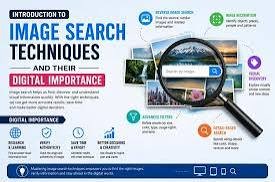
Image search techniques are useful skills for students, professionals, bloggers, designers, marketers, and anyone who needs to find visual information online. Search engines contain millions of images, but finding the right image can sometimes be difficult. Using effective search techniques makes it easier to locate relevant, high-quality, and appropriate images quickly.
What Are Image Search Techniques?
Image search techniques are methods used to find specific images through search engines and online image databases. Instead of entering a simple word or phrase and scrolling through countless results, users can apply specific keywords, filters, and search options to narrow the results.
Modern image search tools can recognize objects, colors, locations, faces, and visual patterns. This makes image searching more powerful than traditional text-based searching.
1. Use Specific Keywords
The first step toward better image searches is choosing precise keywords. A broad search such as “car” may produce millions of results. Adding descriptive terms can produce more useful results.
For example, instead of searching for “car,” try phrases such as “electric car charging station,” “vintage sports car,” or “red car city road.” Specific keywords tell the search engine exactly what type of image you are looking for.
Using several related keywords can also help improve accuracy. Think about the subject, location, style, color, and purpose of the image before creating your search phrase.
2. Use Descriptive Search Phrases
Descriptive phrases are particularly helpful when searching for a particular visual style. You can include words such as “professional,” “minimal,” “modern,” “close-up,” “aerial,” “illustration,” or “infographic.”
For example, someone looking for an image for a business article might search for “modern business meeting office” instead of simply searching for “business.”
The more useful information you provide, the easier it becomes for the search engine to identify relevant results.
3. Use Image Filters
Many image search engines provide filters that allow users to narrow their results. Depending on the search platform, users may be able to filter images by size, color, type, date, or other characteristics.
If you need a large image for a website banner, selecting a large image size can help. Similarly, choosing a specific color can be useful when trying to match an image with an existing design.
Filters save time because they remove many results that do not meet your requirements.
4. Search by Image
One of the most useful modern techniques is reverse image searching, also known as searching by image. Instead of entering keywords, the user uploads an image or provides an image source.
The search engine then looks for visually similar images or pages containing the same image. This technique can be useful when you want to discover where an image originally appeared, find a higher-resolution version, or locate visually similar content.
For example, if you have an image but do not know its subject or source, reverse image search may help identify it.
5. Use File Type Searches
Sometimes the format of an image is important. Common image formats include JPG, PNG, GIF, and SVG. Different formats are useful for different purposes.
PNG files are often useful when transparency is required, while JPG files are commonly used for photographs. SVG files are useful for many logos and scalable graphics.
Some search engines allow users to narrow results according to file type. This can be particularly useful for designers and website developers looking for specific graphics.
6. Look for High-Resolution Images
Image quality matters when using pictures for websites, presentations, posters, or printed materials. A small image may look acceptable on a phone but become blurry when enlarged.
When searching, consider the final purpose of the image. For large banners or printed materials, look for higher-resolution images. For small website thumbnails, an extremely large file may not be necessary.
Choosing the right resolution can improve visual quality while also helping manage file sizes.
7. Check Image Usage Rights
Finding an image does not automatically mean that you are allowed to use it anywhere. Many images online are protected by copyright.
Before using an image for a website, article, advertisement, presentation, or commercial project, check its licensing information. Some images are available under open licenses, while others require permission or attribution.
Using images responsibly helps avoid copyright problems and supports the creators who produced the original work.
8. Search for Visual Styles
Image searches can also be improved by specifying the desired visual style. Depending on the project, you might search for photographs, illustrations, icons, diagrams, cartoons, 3D graphics, or infographics.
For example, a technology article might benefit from a clean digital illustration, while a travel article may require a realistic photograph. Choosing the correct style helps maintain consistency throughout a project.
9. Compare Multiple Results
Do not always choose the first image that appears in search results. Compare several options based on quality, relevance, composition, licensing, and dimensions.
Looking at multiple results can also help you understand what visual styles are commonly associated with a particular topic. This is especially useful for designers and content creators.
10. Save and Organize Useful Images
When working on a large project, organizing useful images can save considerable time. Create folders for different projects or categories and use descriptive filenames.
For example, instead of saving a file with a random name, use a meaningful filename such as “modern-office-team-meeting.jpg.” This makes it easier to locate the image later.
Conclusion
Image search techniques can make online research faster, easier, and more effective. Using specific keywords, descriptive phrases, filters, reverse image searches, file type options, and resolution settings can significantly improve search results. At the same time, users should pay attention to image quality and copyright restrictions before using visual content.
With practice, effective image searching becomes a valuable digital skill. Whether you are creating a presentation, writing an article, designing a website, or researching a topic, knowing how to search for the right images can save time and produce better results.