Introduction
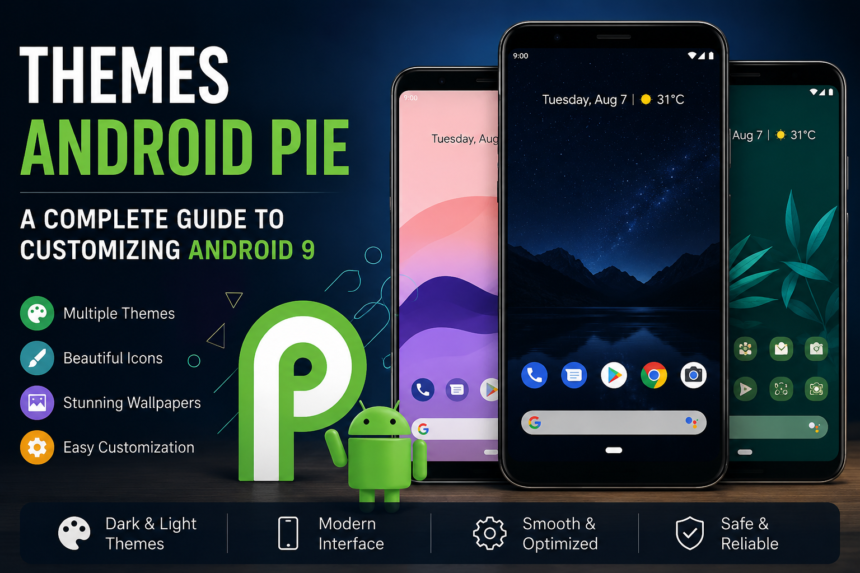
Android Pie, officially known as Android 9, introduced a cleaner interface, smarter features, improved privacy controls, and several customization options for smartphone users. One of the most interesting ways to personalize an Android Pie device is through themes. Themes can change the appearance of wallpapers, icons, colors, menus, widgets, and other interface elements, giving a phone a more personal look without changing its core functionality.
Although newer Android versions have replaced Android Pie on most modern devices, Android 9 remains relevant for older smartphones and for users interested in its design and customization features. Understanding Android Pie themes can help users create an attractive interface while keeping their device practical and easy to use.
What Are Android Pie Themes?
Android Pie themes are visual customization options designed for smartphones running Android 9. Depending on the manufacturer, a theme can modify different parts of the user interface. Some devices provide built-in theme stores, while others rely on launchers, icon packs, wallpapers, or third-party customization applications.
The basic Android Pie experience was relatively clean and minimal. Google focused on simplicity, rounded design elements, adaptive features, and easier navigation. Manufacturers such as Samsung, Xiaomi, Huawei, and others often added their own interfaces and theme systems on top of Android Pie.
This means the available themes can vary significantly from one phone to another.
Popular Types of Android Pie Themes
There are several ways users can customize an Android Pie smartphone. Each method offers different levels of control.
Dark Themes
Dark themes became increasingly popular around the Android Pie era. They replace brighter interface elements with darker shades, creating a more comfortable appearance in low-light environments.
A dark-style interface can also give a smartphone a modern and sophisticated appearance. Some users prefer dark backgrounds because they make icons and text stand out more clearly.
Minimal Themes
Minimal themes focus on simplicity. They generally use clean wallpapers, simple icons, limited colors, and uncluttered layouts.
These themes are particularly useful for people who want their home screen to look organized rather than crowded with visual effects. A simple theme can also make frequently used applications easier to locate.
Material Design Themes
Android Pie was strongly influenced by Google’s Material Design principles. Material-inspired themes generally feature simple shapes, consistent spacing, clear typography, and modern interface elements.
These themes are a good choice for users who want their smartphone to maintain an Android-style appearance while adding some personalization.
Colorful Themes
For users who prefer a more energetic appearance, colorful themes can change wallpapers, icons, and interface accents. Bright colors can make the home screen more visually interesting.
However, too many colors can make the interface difficult to read. Choosing a balanced color palette usually produces a better result.
How to Customize an Android Pie Device
The exact customization process depends on the smartphone manufacturer. Some Android Pie phones include a dedicated theme application in the settings menu. Others allow customization through launchers and separate icon packs.
Users can begin by changing the wallpaper. A suitable wallpaper can completely transform the appearance of a home screen without requiring additional software.
The next step is choosing an icon style. Icon packs can create consistency between applications and make the home screen appear more polished. Widgets can also be arranged according to personal preferences.
For devices with built-in theme support, users can explore the available theme options and preview a design before applying it.
Android Pie Launchers and Customization
Launchers are another popular method of customizing Android Pie. A launcher controls important parts of the home-screen experience, including app layouts, icons, folders, animations, and gestures.
A compatible launcher can provide customization features that may not be available through the phone’s default interface. Users can adjust the number of home-screen columns, change icon sizes, create custom folders, and experiment with different layouts.
However, users should choose launchers carefully. Installing software from unreliable sources can create security and privacy risks.
Benefits of Using Themes
Themes offer several advantages beyond simple decoration. First, they allow users to personalize a device according to their taste. A smartphone can feel more individual when its wallpaper, icons, colors, and layout match the owner’s preferences.
Themes can also improve visual organization. For example, a minimalist setup with clearly arranged icons may make frequently used applications easier to access.
Another advantage is variety. Changing a theme can make an older Android Pie smartphone feel fresh without purchasing a new device.
Things to Consider Before Installing a Theme
Not every theme is suitable for every Android Pie phone. Compatibility should always be checked before installation. A theme designed for one manufacturer’s interface may not work correctly on another device.
Users should also consider performance. Some heavily animated themes or customization applications may consume additional system resources. On older smartphones, this can potentially affect responsiveness or battery life.
Security is equally important. Themes and customization tools should come from trustworthy sources. Users should avoid applications that request unnecessary permissions or make suspicious claims.
Android Pie Themes and Personalization
One of the strengths of Android has always been flexibility. Android Pie continued this tradition by giving manufacturers and users plenty of opportunities to personalize the smartphone experience.
A good theme does not necessarily need complicated graphics or numerous animations. In many cases, a carefully selected wallpaper, matching icon set, useful widgets, and organized home screen can create a much better experience.
Users should focus on readability and convenience alongside appearance. A beautiful home screen is most useful when it remains easy to navigate.
Conclusion
Themes Android Pie devices provide an enjoyable way to personalize smartphones running Android 9. From dark and minimalist designs to colorful wallpapers and Material-inspired layouts, there are many possibilities for creating a unique interface.
Whether using built-in theme features, a launcher, wallpapers, or icon packs, users can transform the look of their device without changing its essential functions. The best approach is to choose compatible and trustworthy customization options while keeping performance and usability in mind.
Even though Android Pie is an older operating system, its clean design and customization possibilities continue to make it interesting for users who enjoy exploring Android’s evolution. With the right combination of colors, icons, wallpapers, and layouts, an Android Pie smartphone can still have a distinctive and attractive appearance.